If you've ever tried to manage a full caseload using spreadsheets, paper files, or a system clearly designed for a different industry, you already know the problem. Social work has specific needs that most software doesn't account for. The challenge isn't finding a tool — it's finding the right one.
Before you commit to a platform (or ask your agency to invest in one), it helps to know what actually matters in case management software built for social work. This guide walks through the features worth prioritizing, the ones you can skip, and the questions to ask before making a decision.
Generic CRMs and project management tools can technically store client information. But "technically works" and "actually supports your practice" are two very different things.
Social work comes with requirements that most industries don't share. You're often working with sensitive populations, handling protected health information under HIPAA, navigating high caseloads with limited resources, and documenting in ways that need to satisfy funders, supervisors, licensing boards, and sometimes courts. A tool designed for sales teams or customer support isn't going to account for any of that.
Purpose-built case management software understands the workflow. It's structured around client records, case notes, service plans, and outcomes — not deals, tickets, or pipelines. That distinction matters more than most feature lists will tell you.
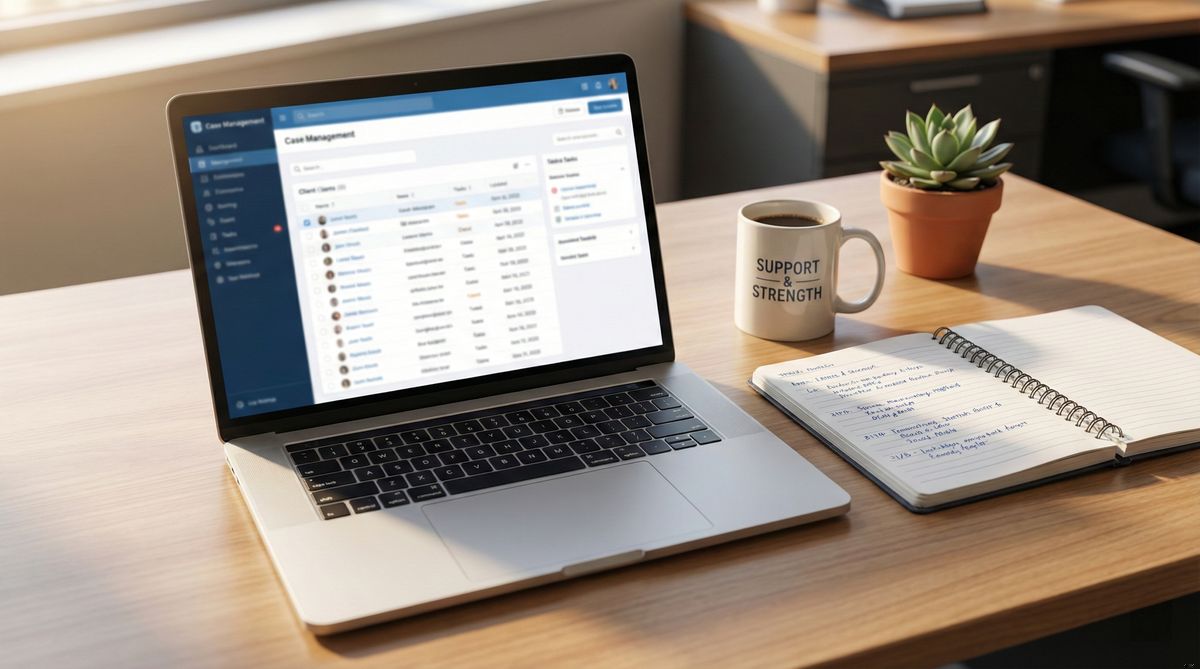
 Purpose-built software organizes client records around case notes and service plans — not deals or pipelines.
Not every feature carries equal weight. Here's what actually makes a difference in day-to-day social work practice.
HIPAA compliance should be non-negotiable if you're handling any health-related information. This means encrypted data storage, access controls, audit logs, and a provider willing to sign a Business Associate Agreement. If a vendor can't clearly explain their HIPAA posture, move on.
Ease of use and fast onboarding matter more than you might think. Social workers aren't hired to learn software — they're hired to serve clients. If a tool takes weeks of training before anyone can use it effectively, it's going to sit unused. The best platforms feel intuitive within the first session. For more on why this matters, see our guide on case management ease of use.
Structured case notes and documentation are the core of any case management tool. Look for flexible note templates, the ability to attach files, and a clear timeline view so you can see a client's full history at a glance.
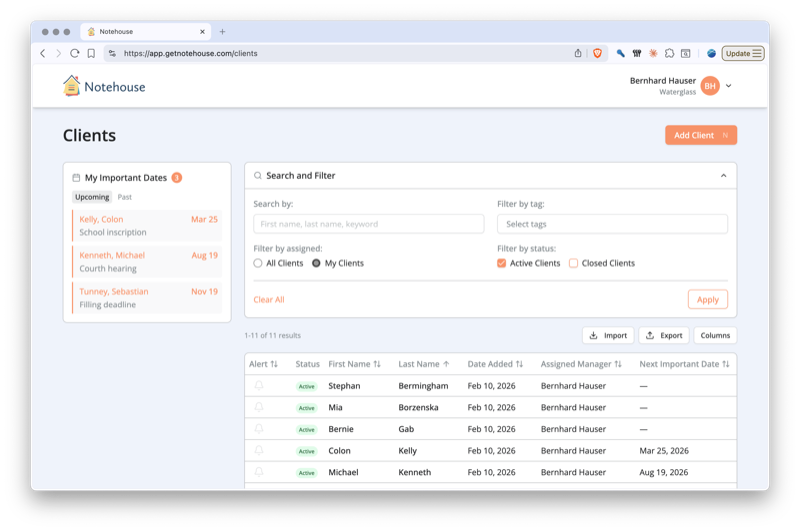
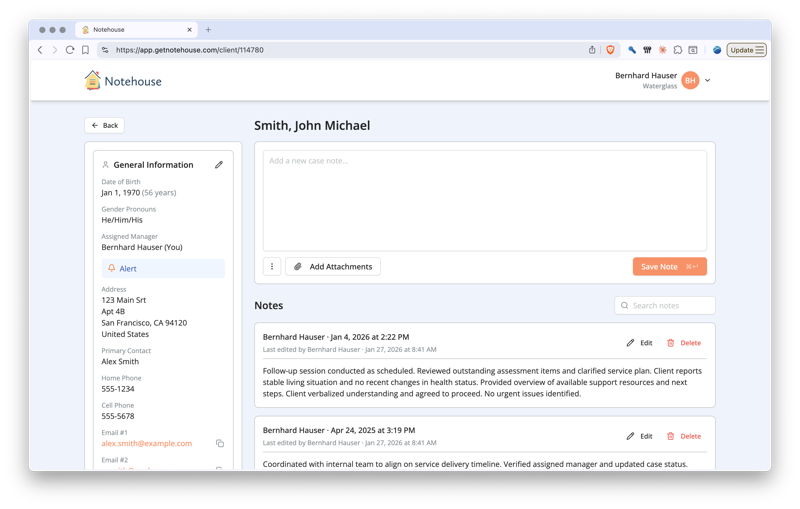 Structured case notes with a chronological timeline let you see a client's full history at a glance.
Client profiles and demographics tracking should go beyond basic contact information. You need fields for presenting issues, referral sources, service history, key dates, and demographic data that your funders or agency require.
Tagging and search make the difference between a system you can navigate and one that buries information. When you need to pull up every client referred for housing services last quarter, tags and filters should get you there in seconds.
Team collaboration and access controls let you share information safely. Role-based permissions mean supervisors see what they need, interns see what's appropriate, and client data stays protected.
Reporting and outcomes tracking help you demonstrate impact. Whether it's for a grant report or an internal review, your software should make it easy to pull meaningful data without exporting everything to Excel first. For a deeper dive, check out our breakdown of must-have features for social work software and case management software must-haves.
It's easy to get drawn in by long feature lists. But more features don't always mean better software — sometimes they mean more complexity, a steeper learning curve, and a higher price tag.
Overbuilt enterprise modules like complex billing systems, multi-tiered approval workflows, or deeply nested permission structures are designed for large healthcare organizations with dedicated IT staff. If you're a small nonprofit or solo practitioner, these features will slow you down without adding value.
AI-generated case notes sound appealing in theory, but in practice they raise serious ethical and legal concerns. When your documentation might be used in court proceedings, child welfare decisions, or clinical assessments, you need to know exactly what was written and why. Automated note generation can introduce inaccuracies that carry real consequences for clients.
Complex integrations with systems you don't use add cost and configuration overhead. If you're not running a billing department or syncing with an electronic health record system, you don't need those connectors. Focus on what you'll actually use every day.
The best affordable software for social workers tends to do a few things exceptionally well rather than trying to do everything.
| Feature | Priority | Why It Matters |
|---|---|---|
| HIPAA compliance | Must-have | Legal requirement for health-related data |
| Ease of use | Must-have | Determines whether your team actually uses it |
| Case notes and documentation | Must-have | Core of daily social work practice |
| Client profiles and demographics | Must-have | Required for reporting and continuity of care |
| Tagging and search | High | Makes information findable across your caseload |
| Team collaboration and access controls | High | Safe information sharing and role-based permissions |
| Reporting and outcomes tracking | High | Demonstrates impact for funders and supervisors |
| Complex billing modules | Low | Only needed in clinical or billing-heavy settings |
| AI-generated notes | Low | Raises ethical and accuracy concerns |
| Enterprise workflow automation | Low | Adds complexity most small teams won't use |
Before you sign up for a trial or bring a recommendation to your director, work through these questions. They'll save you from discovering dealbreakers after you've already invested time in setup.
Is it HIPAA compliant? Ask directly and look for specifics — encryption standards, BAA availability, and data storage locations. "We take security seriously" isn't a sufficient answer.
Can I learn it in a day? If the vendor offers multi-week onboarding programs, that's a signal. Good software for social workers should be usable after a brief walkthrough, not a certification course.
Does it work on mobile? If you're doing home visits or working in the field, you need a tool that functions on a phone or tablet — not just a desktop browser.
What happens to my data if I cancel? You should be able to export your records in a standard format. Vendors who make it difficult to leave are vendors who know their product doesn't retain users on merit.
Is there a free trial? You won't know if a tool fits your workflow until you've used it with real (or realistic) data. A trial period — ideally two weeks or more — lets you test before committing.
What does onboarding look like? Some teams need hands-on support; others just need good documentation. Make sure the vendor's onboarding approach matches how your team actually learns.
If you're currently managing client information with paper files, spreadsheets, or a patchwork of tools, the idea of switching to a dedicated platform can feel overwhelming. It doesn't have to be.
 Transitioning to a dedicated platform doesn't have to happen overnight — start with new clients and build from there.
Start small. You don't need to migrate every historical record on day one. Begin with new clients or a single program, and build your comfort with the system before expanding. Most teams find their rhythm within a few weeks.
Be intentional about your structure from the start. Decide on consistent naming conventions, tag categories, and note formats before your team begins entering data. Our guide to case management best practices covers this in more detail.
If you're looking for practical strategies on organizing client records — whether digital or otherwise — our guide on how to keep track of client information is a good companion to this one.
And when you're ready to try a purpose-built tool, Notehouse was designed specifically for social workers who need something simple, secure, and affordable. You can learn more about how Notehouse is built specifically for social workers, or start a free trial and see if it fits your workflow - no sales call required.
Note: Software requirements vary by state, setting, and role. Before choosing a platform, verify that it meets your specific regulatory, licensing, and agency requirements.


Notehouse is a simple, yet powerful case management solution for teams. Get started with a free trial, no credit card required.
Explore Notehouse ›Powerfully Simple Case Management You'll Actually Use

4.7 stars from 101 customers reviews
Case Management Software for nonprofit leaders, counselors, managers, and social workers.
© 2026 Waterglass UK Ltd.


Free Tools