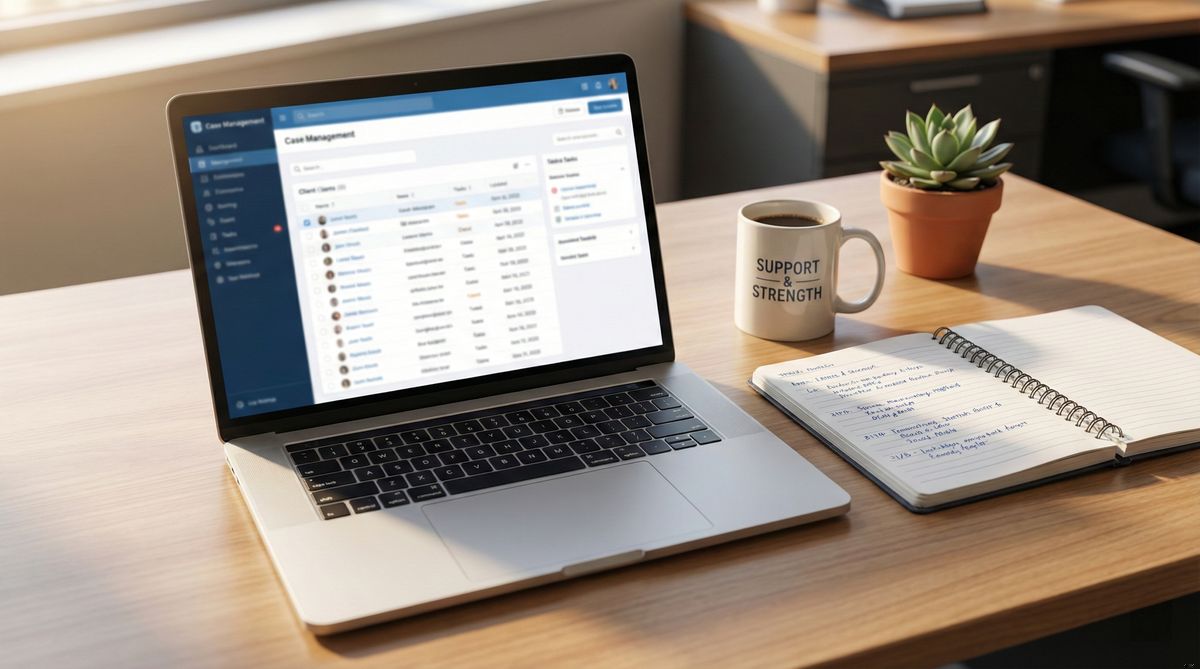

Most social workers didn't get into this field because they love documentation. But documentation is the backbone of good practice — it protects clients, ensures continuity of care, and satisfies the licensing boards, funders, and supervisors who need to see that the work is happening.
The question isn't whether you need to document. It's whether the tools you're using make that process easier or harder. Here's how case management software fits into the real-world workflow of social work — and what changes when you move from paper or patchwork systems to something purpose-built.
"If it isn't documented, it didn't happen." Every social worker has heard this at some point, and it's not an exaggeration. In many settings, your case notes are the legal record of services provided. They're what gets reviewed during audits, referenced in court, and relied on when a colleague takes over a case.
The problem is that documentation takes time — time that's already in short supply. Between back-to-back sessions, crisis calls, home visits, and team meetings, finding a quiet moment to write detailed notes can feel impossible. Many social workers end up documenting hours after a session, or worse, days later, trying to reconstruct conversations from memory.
This is where the right tool can genuinely make a difference. Not by writing notes for you, but by reducing the friction around capturing them. Good case management software gives you structured templates, quick-access fields, and a system that's fast enough to use between sessions — so documentation doesn't pile up into a weekend task. If documentation overload is contributing to stress, our post on preventing burnout in social work covers broader strategies worth considering.
Case management software isn't just a place to store notes. When it's well-designed, it supports every phase of the client relationship.
Intake and assessment is where the client record begins. Software helps you capture demographics, referral information, presenting concerns, and initial assessments in a structured format. Instead of scribbling on an intake form and transcribing later, you enter information once and it stays organized from the start. If your agency uses biopsychosocial assessments, having a consistent template — like the one in our biopsychosocial assessment guide — streamlines this process significantly.
Service planning becomes easier when you can reference a client's full history in one place. You can see past assessments, identify patterns, and build a plan that accounts for what's already been tried. Tags and filters let you track which services a client is receiving across programs.
Progress notes are where most social workers spend their documentation time. Good software lets you create notes quickly using templates, attach relevant files, and maintain a chronological timeline. When a supervisor asks about a session from three months ago, you can find it in seconds instead of flipping through folders.
 Centralized client records make referrals and coordination faster — you're not starting from scratch every time you connect a client to a new service.
Referrals and coordination benefit from having all client information centralized. When you're connecting a client to a housing program, a mental health provider, or legal services, you need to communicate their situation accurately. A well-organized client record means you're not starting from scratch every time.
Discharge and case closure should include a summary of services provided, outcomes achieved, and any ongoing recommendations. Software that tracks this information throughout the case makes the discharge process a summary exercise rather than a reconstruction project.
The shift from paper files or spreadsheets to dedicated case management software changes more than just where your notes live. It changes how you access and use information.
Searchability is the most immediately noticeable difference. When everything is tagged and indexed, you can find a specific note, a particular client's referral history, or every case involving a certain service type — in seconds. Compare that to opening filing cabinets or scrolling through hundreds of rows in a spreadsheet.
Shareability improves when information lives in a system with role-based access. Instead of photocopying files or forwarding emails, authorized team members can view the records they need. Supervisors can review case notes without you printing anything out.
Security gets stronger. Paper files can be lost, stolen, or damaged. Spreadsheets saved on personal laptops are a HIPAA incident waiting to happen. Dedicated software offers encrypted storage, access logs, and backup systems that paper simply can't match.
Continuity is the less obvious but perhaps most important change. When a staff member leaves or a client is transferred, their entire history stays intact and accessible. No more trying to decipher someone else's handwriting or piecing together fragments from multiple sources. Our comparison of note-taking methods for human services explores different approaches to structuring your documentation.
Switching to software raises legitimate questions. Here are the ones social workers ask most often, along with straightforward answers.
"My clients won't like me typing during sessions." This is a valid concern, and it depends on your setting. Some practitioners find that brief note-taking during a session is natural and accepted, especially when you explain that it helps you remember and serve them better. Others prefer to jot a few key words on paper during the session and enter notes immediately after. Speech-to-text tools can also help you capture notes quickly between appointments.
"We can't afford it." Budget constraints are real in social work settings. But the cost landscape has changed. There are free and low-cost case management solutions available, and even purpose-built platforms designed to be affordable for social workers. The time saved on documentation and reporting often justifies the investment, especially when you factor in the cost of compliance failures.
"I'm not tech-savvy." If a tool requires you to be tech-savvy, it's the wrong tool. The best case management software for social work is designed for people who want to spend their time with clients, not troubleshooting software. If ease of use is a priority for you — and it should be — look for platforms that feel intuitive from the first login.
You don't need to overhaul your entire documentation system overnight. Start with one aspect of your workflow — maybe intake forms or progress notes — and build from there. Consistency matters more than comprehensiveness at the beginning.
Pick a tool that matches how you actually work. If you're a solo practitioner, you need something lightweight. If you're part of a team, collaboration features matter more. If you're in the field regularly, mobile access is essential.
For a guide on structuring your client records — regardless of what tool you use — see our post on client meeting note-taking.
When you're ready to try a platform built specifically for social work, Notehouse is designed to be simple, secure, and affordable. It's built around the way social workers actually document - not the way enterprise software thinks you should. See how Notehouse supports social workers and human services teams in their daily practice.
Note: Documentation and compliance requirements vary by jurisdiction, setting, and role. Always verify that any tool you use meets your specific regulatory and agency requirements.


Notehouse is a simple, yet powerful case management solution for teams. Get started with a free trial, no credit card required.
Explore Notehouse ›Powerfully Simple Case Management You'll Actually Use

4.7 stars from 101 customers reviews
Case Management Software for nonprofit leaders, counselors, managers, and social workers.
© 2026 Waterglass UK Ltd.


Free Tools